Keep every word. Keep it on your Mac.
RecapMuse records your calls and meetings, transcribes them live on your Mac, and hands your day back as a searchable memory. No bot joins your call, and your live transcript is transcribed right on your device.
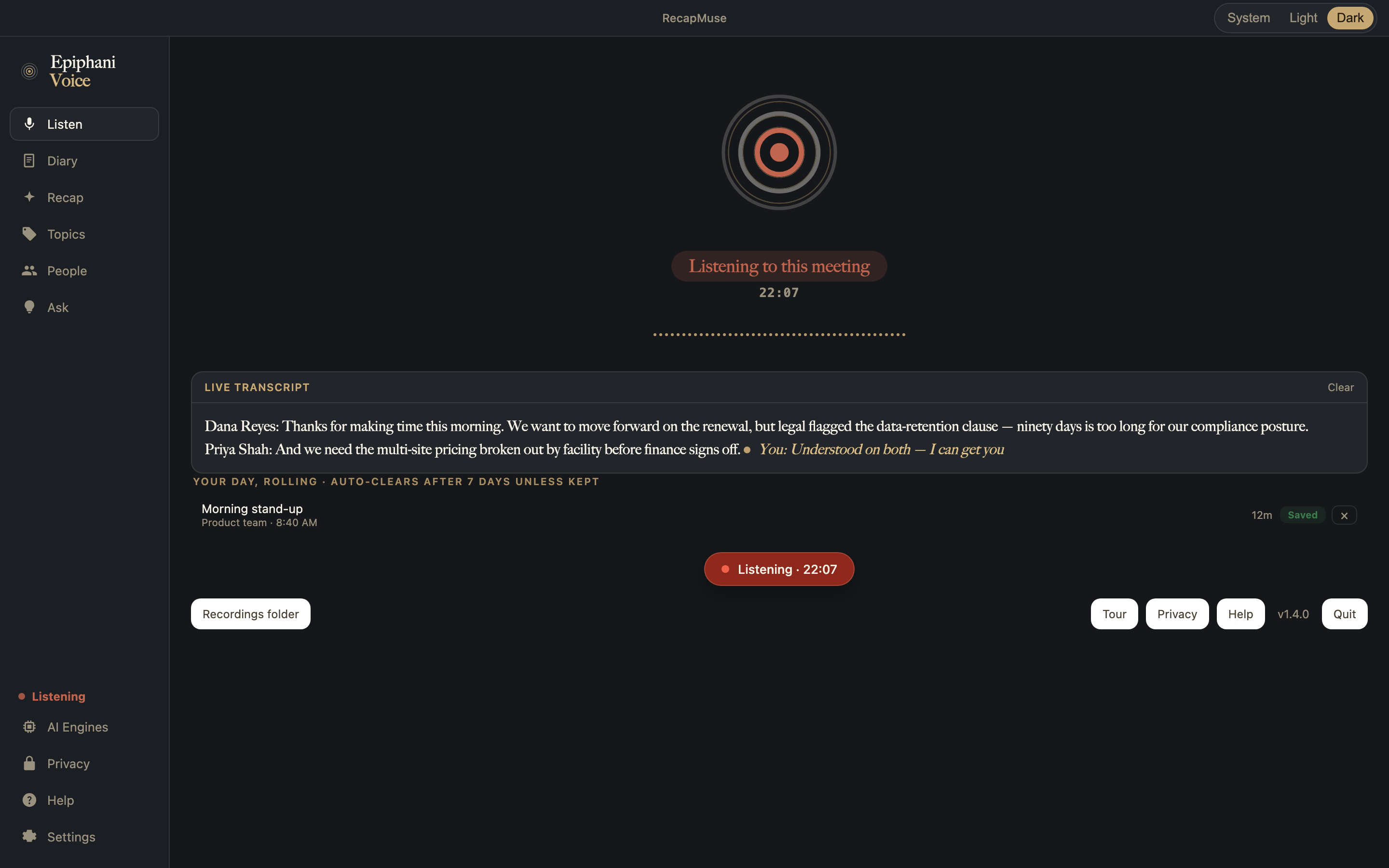
Capture the conversation. Keep the memory.
RecapMuse runs in the background while you talk, then turns the recording into something you can actually search: who said what, when, and what to do next.
- 1CaptureStart a meeting or a call and RecapMuse records it in the background. No bot joins the call, no link to paste. It is just running on your Mac.
- 2UnderstandWhile you talk, RecapMuse transcribes the audio live, on your Mac, using Apple's own on-device speech engine. When you finish, it drafts a titled summary and the next steps you agreed on.
- 3RecallEvery conversation becomes searchable. Find the moment a number was promised or a decision was made, across months, in a second.
Let us lock the Q3 numbers before Thursday.
flagged: commitmentI will send the revised deck tonight. The pricing tier moved to $240.
flagged: number mentionedGood. Ship it to legal first thing.
flagged: action itemEvery conversation becomes a page you can search.
After a call ends, RecapMuse drafts a titled entry with who you were with, a summary, and the action items you agreed on. The Recap, Topics, People, and Ask sidebar turns a pile of recordings into a library you can browse rather than a folder of files.
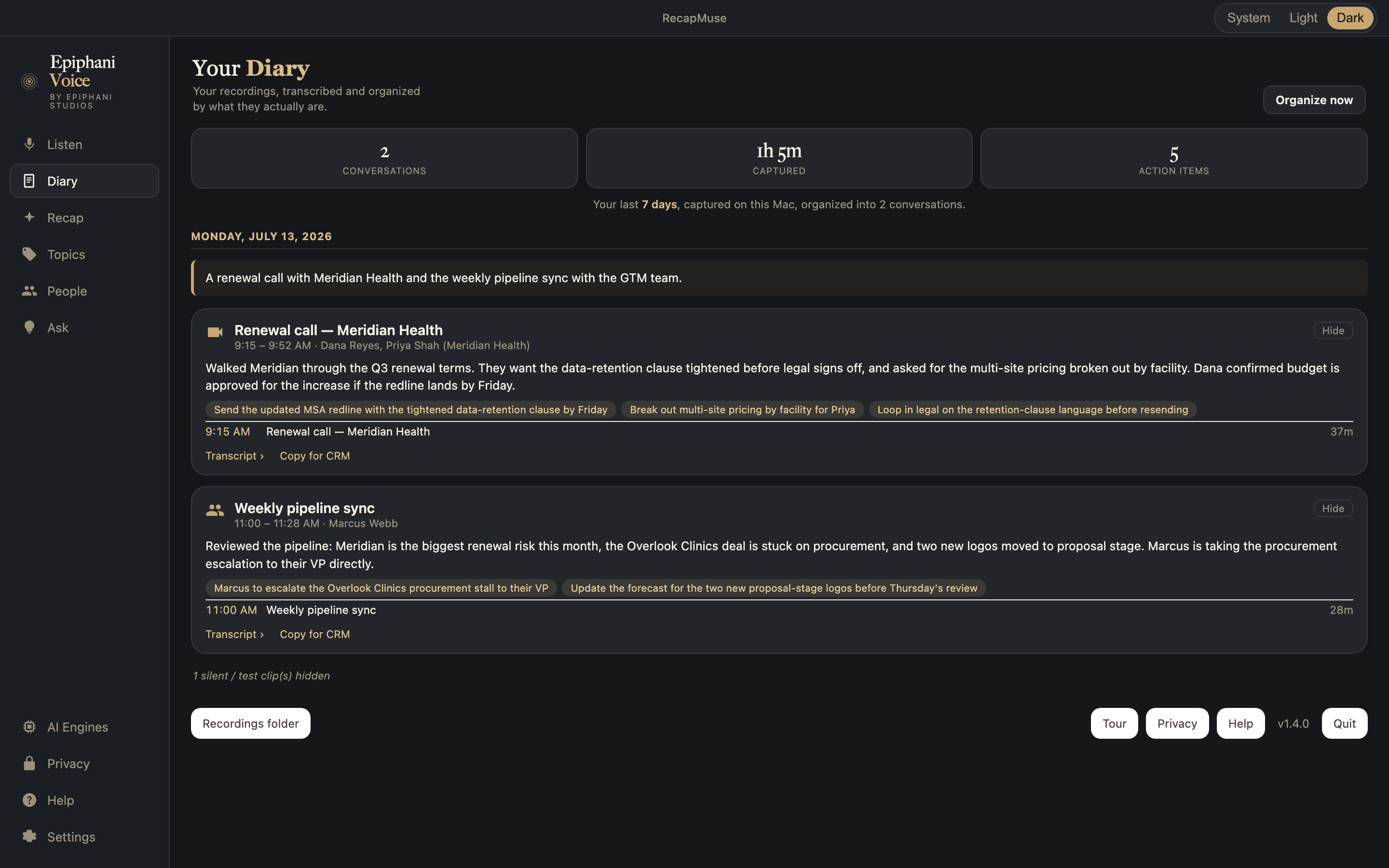
It taps a copy of the sound. It touches nothing else.
RecapMuse captures system audio through Core Audio process taps, available on macOS 14.2 and later. It takes a copy of the system output stream, and that is the whole of its reach. It installs no virtual audio driver. It changes no default input or output device. It never reroutes or mutes your audio. It does not join the meeting or appear to other participants. The tap and its private aggregate device exist only in memory and disappear when the app exits, so your Mac's normal audio setup is exactly as you left it.
That detail is becoming load-bearing rather than academic. Microsoft Teams begins automatically blocking identified meeting bots in August 2026, and in September 2026 bot approval becomes a company-wide default for every tenant, so a notetaker that joins as a participant can sit in the lobby waiting for an organiser to admit it. RecapMuse has no participant to admit, because it never joins. What the Teams change actually does, with sources.
The file format is chosen for a recorder that has to survive a crash. RecapMuse writes timestamped Audio Data Transport Stream ("ADTS") Advanced Audio Coding ("AAC") files, one an hour by default, into a folder you pick. Each file grows continuously on disk and stays fully playable if the process is force-killed or the Mac reboots mid-file. There is no finalize step to miss. The files open in QuickTime, VLC, Music, and ffmpeg with no conversion.
At 96 kbps, which is enough for voice, an hour is about 43 MB and around-the-clock recording runs to roughly one gigabyte a day. You choose where the files land, how long each one is, what bitrate they use, and whether the microphone is included at all. Pointing the folder at a synced drive is your call and your bandwidth.
Out of the box it records system audio only, which needs no microphone permission at all. Turning the microphone on asks for Microphone permission once, and the two modes then behave differently in a way worth knowing before you choose: with the microphone off, the tap produces samples only while audio is actually playing, so stretches of pure silence collapse rather than being recorded as silence. With the microphone on, the microphone holds a continuous timeline.
And one honest detail about knowing it is on. File size is not the signal, because an hourly file grows in bursts and a silent stretch with the microphone off grows barely at all. The status check reports whether the tap itself is running, which is the thing you actually want to know, and it lists the recent files alongside it. A recorder that leaves you guessing whether it caught the meeting has failed at the only job it has.
One more thing that is easier to say now than to discover later. Starting the app inside your normal login session inherits audio-capture permission from whatever launched it. Running it across reboots makes it its own process, so macOS grants it a separate Audio Recording permission the first time. That grant is tied to the specific binary, so rebuilding or moving it can make macOS revoke it and ask again.
One switch was never the right number.
Version 1.8.0 replaced the single blanket privacy switch with four independent ones in Settings: transcription, diary summaries, calendar auto-naming (suggests a recording's name from an overlapping calendar event, read on-device, you confirm before anything renames), and cloud sync. Each is set on its own, because they are genuinely different decisions. Ask is separate from all four: it always runs on-device, and there is nothing to switch.
Transcription and summarization run on separate engines, which is what makes the split real rather than cosmetic. Keep transcription on your Mac while allowing a cloud summary, keep summarization local while sending transcription out, run both on-device, or send both. A "Maximum privacy" master toggle moves every feature to its most private state in one tap, and the Session edition, when it ships, will set both engines to on-device by default.
Each of the four toggles carries a live sentence stating whether OpenAI is involved in that feature, and where it is, the sentence confirms that OpenAI does not train on API data. The state is on the screen rather than in a policy document.
Ask puts the evidence first. Query your past conversations and a "Sources (N)" card renders above the answer rather than as chips underneath it, so you can look at what the answer is built from before you read the answer. Every source links straight into the conversation it came from, and past eight sources the card paginates. An answer you can check is worth more than an answer you have to trust.
Recording other people may require their consent, depending on your jurisdiction. That is worth knowing before you switch the microphone on, and it is not legal advice.
The room stays the room.
RecapMuse records on your Mac. While you talk, it transcribes live, entirely on your device, using Apple's own on-device speech engine. That transcript never touches a network call, on any tier.
No meeting bot in the call, ever. Your recordings and your searchable library live on your Mac, not in an account of ours.
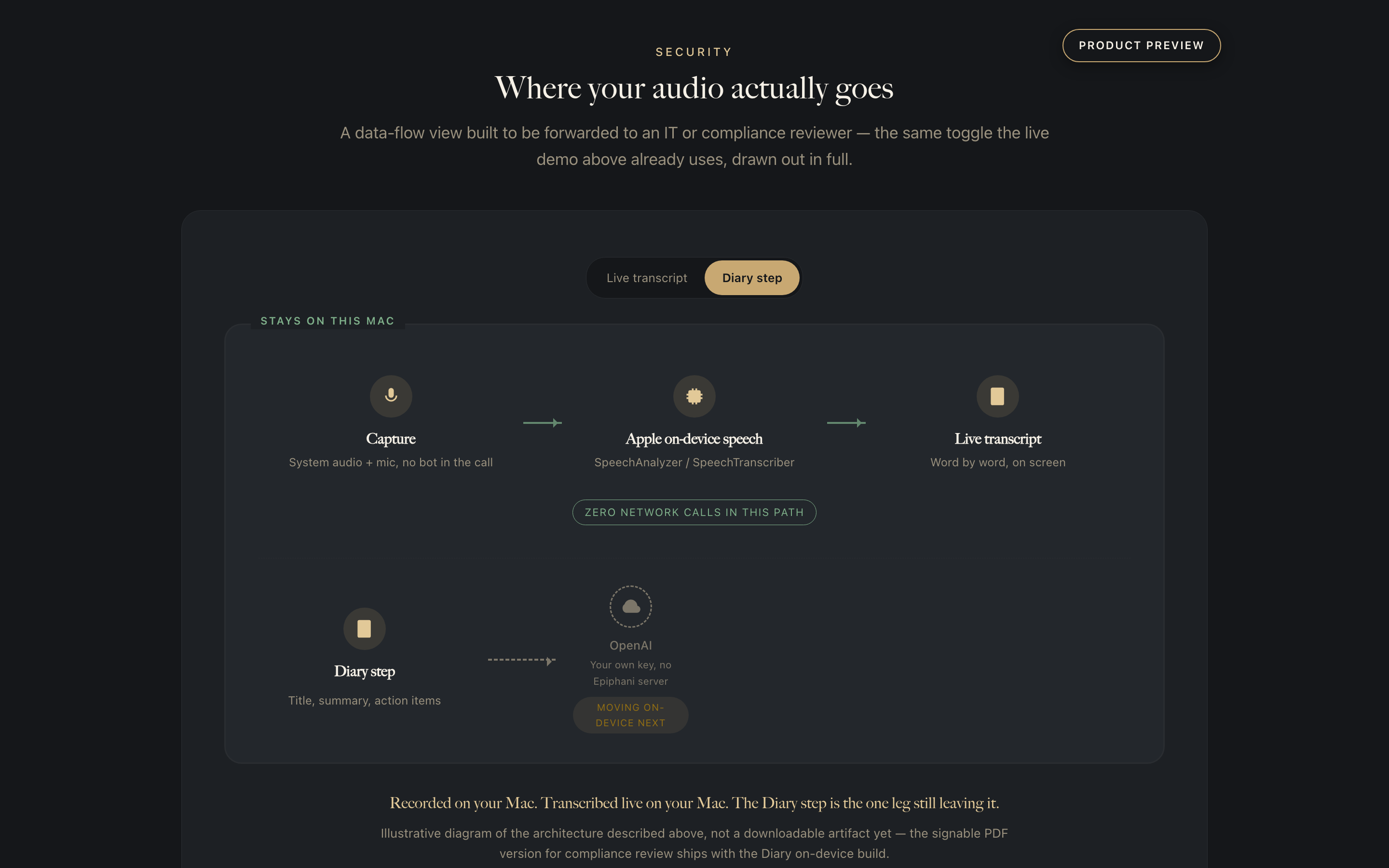
Ask your AI about your week. It answers from your Mac.
Connect RecapMuse to Claude Desktop from Settings, one click, and your AI can search your recorded days the way you would: list the conversations, pull a transcript, find the moment a thing was promised. The connection is a small server inside the app that reads your Diary files locally and stays entirely offline. Cloud notetakers cannot offer this shape at all: their answers require your meetings to live on their servers first. Yours live on your Mac, and your AI comes to them.
Cloud notetakers remember everything, on someone else's server.
The convenient ones send a bot into your call and upload every word to a vendor's servers, under the vendor's policy. RecapMuse was built the other way.
| Feature | RecapMuse | Granola | Otter | Fireflies | Fathom |
|---|---|---|---|---|---|
| No bot joins the call | Yes | Yes | No | No | No |
| Transcribed live, on your device | Yes | No | No | No | No |
| Recordings stored on your device by default | Yes | No | No | No | No |
| Always-on rolling capture, so the start is already recorded | Yes | No | No | No | No |
| Competitor marks are from our July 2026 scan of public product pages, reviews, and forums. Where the others win, the table says so. A No is what the product does today, not a forecast. Where a capability is planned, the roadmap on this page says so; where it is not, No is the whole answer. | |||||
The trust problem is not hypothetical.
Real, sourced concerns from people using today's cloud notetakers. Not our customers: the industry, describing the exact problem RecapMuse was built to answer.
“What Otter has done is use its Otter Notetaker meeting assistant to record, transcribe, and utilize the contents of conversations without the Class members' informed consent.”
“I never created a Fireflies account, never agreed to its Terms of Service, and never provided any written consent authorizing the collection of my biometric data.”
“Secretly activating an AI notetaker is inconsistent with the candor lawyers owe clients.”
“Recording isn't stored, anonymized transcripts limit subpoenas.”
“The whole software operates like a virus and it's almost impossible to cancel the subscription you never asked for.”
“The system experiences a failure at least once daily when attempting to search for notes from a past meeting.”
Built for conversations you would rather keep in the room.
RecapMuse is for the work where sending calls through a cloud transcription service is not acceptable. Tailored editions are coming for the work that needs privacy most.
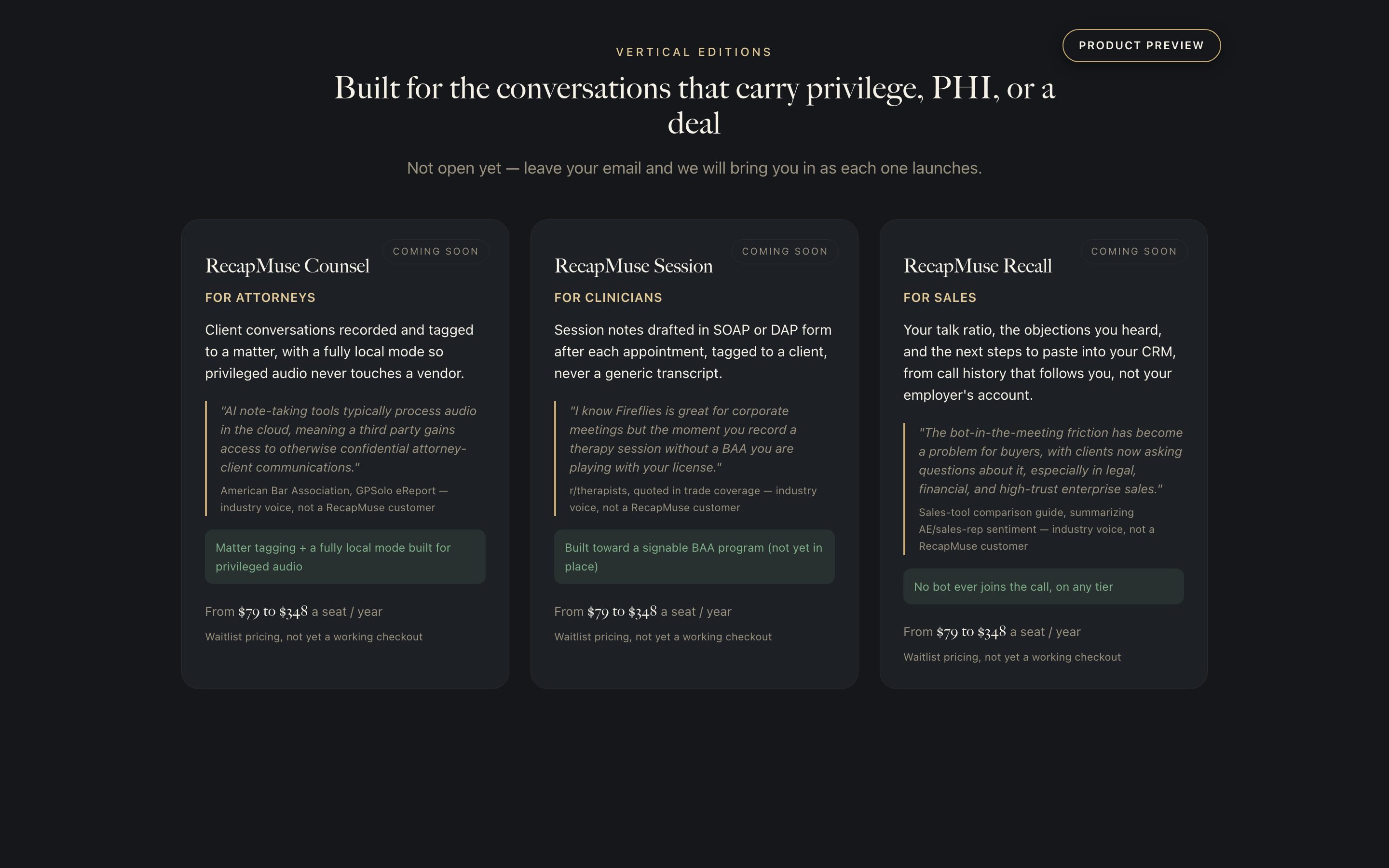
A second memory for your working day.
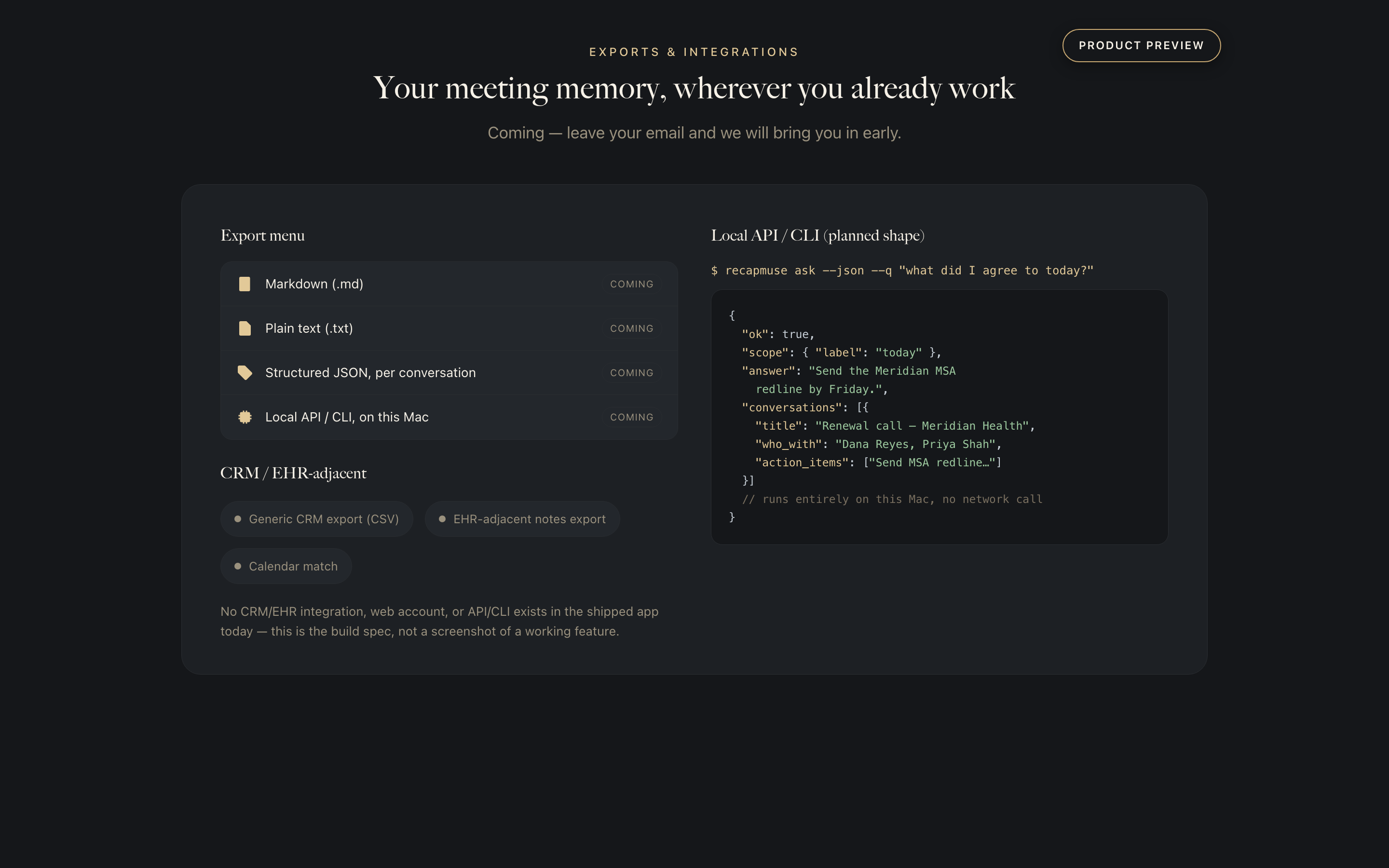
Your meeting memory, wherever you already work.
Markdown and plain-text export ship today, from Settings or per conversation, alongside the AI connection above, a local server your assistant can query. Structured JSON files per conversation, plus a local API and command-line tool, are still being built so every tool you already use can eventually read your Diary.
Record meetings and search your history, on your Mac, with no meeting bot.
Every paid tier includes a 30 day, no-questions-asked money-back guarantee, and you can cancel in one click.
- Unlimited recording, with the live transcript made on your Mac.
- Titled Diary entries, searchable across your whole history by word, speaker, or date.
- The AI connection: a read-only server inside the app that lets your own assistant query the Diary without opening a network connection.
- Markdown and plain-text export, from Settings or per conversation.
- Four independent privacy controls over how your data moves.
- The iPhone companion, currently in private testing.
- Everything in Individual, for every seat.
- Seats bought together on one invoice.
- Setup and deployment done with you by the people who built it.
- A direct support line rather than a ticket queue.
- Conversations grouped by matter or project across the team.
- Everything in Teams, for every seat.
- The edition that fits the work, Counsel for attorneys, Session for clinicians, or Recall for sales, included when it opens.
- An access and export trail for recordkeeping.
- A named person to call.
- A quarterly block of build time, so the team's requests get built.
Straight answers.
Does my audio go to the cloud?
Your live transcript never does: it is generated entirely on your Mac using Apple's on-device speech engine, with no network call in that path. The Diary step is different, and we want to be exact: after a call ends, it currently sends that recording's audio to OpenAI to transcribe it speaker by speaker and draft the title and action items, using your own OpenAI key from your Mac's Keychain. No Epiphani account or server ever touches your audio, and without a key the app still records and live-transcribes. You can move the Diary step on-device today in Settings > AI Engines, which sets transcription and analysis independently and never falls back to the cloud once either is local.
Does a bot join my meeting?
No. RecapMuse records on your Mac, the way a voice memo would. There is no participant to admit and no link to paste into the invite.
How do Mac and iPhone stay in sync?
The iPhone companion is in private testing today. As it ships, your library lives on your devices, and any sync runs through your own iCloud, not an account we hold. You control where it lives.
Is it legal to record my calls?
Recording laws vary by state and country, and consent rules differ for one-party and all-party jurisdictions. RecapMuse is a tool; following the law where you are is yours to manage. When in doubt, tell the room you are recording.
Is there a version for lawyers or therapists?
RecapMuse Session (clinicians), Counsel (attorneys), and Recall (sales) are tailored editions we are building now, planned to be priced from $79 to $348 a seat a year. They are not open yet; leave your email and we will notify you when each one launches.
Why a subscription when some Mac transcribers are one-time?
RecapMuse keeps working for you every day, with a Diary that improves over time and an iPhone companion on the way. The yearly price covers that ongoing work, including the work to move the cloud step on-device. (The cloud step itself is billed separately, to your own OpenAI key.)
What happens to my recordings if I stop?
They are files on your devices. They do not live in our account, so they do not disappear when a subscription lapses. You keep what you captured.
Does this site track me?
Only after you accept the cookie banner. We use PostHog, with Do Not Track honored, page inputs masked, and tracking opted out by default until you say yes. We do not sell your data, and this analytics covers the marketing site only, never your recordings.
Keep every word. Keep it on your Mac.
$99 for your first year and $179.88 a year after that, on your Mac, with the iPhone companion in private testing. No meeting bot, nothing that owns your memory but you, and a live transcript built right on your device.